Ever need to calculate the precise position of the Sun at a particular time for a particular location? The good news for those of you in the Houston area who don’t need high accuracy is that there is an online webpage making this possible. If you’re not in this category, then contact ACS Engineering & Safety, and we can set up the calculations needed. The information below provides details.
Hosted at the Jet Propulsion Laboratory is NASA’s Navigation and Ancillary Information Facility (NAIF). This group provides a set of code called “SPICE” (Spacecraft, Planet, Instrument, C-matrix, Events). At ACS, we have the code installed and running on our systems. If you are in the Houston area and want some detailed information on the location of the Sun, the steps are provided below to utilize NAIF’s WebGeocalc (see links at the bottom of this post).
Step 0: Select “Pointing Direction” for the calculation that you would like to make.
Step 1: Skip the “Kernel selection”. These are information packages that the code looks into for detailed information. If you look in the box to the bottom right, you’ll see “Ground Stations”, “Solar System”, and “Latest Leapseconds”. That’s all you need
Step 2: “Direction type” is “Position”. You’re asking for the position of the Sun from the Houston observer.
Step 3: “Target” is the “Sun”
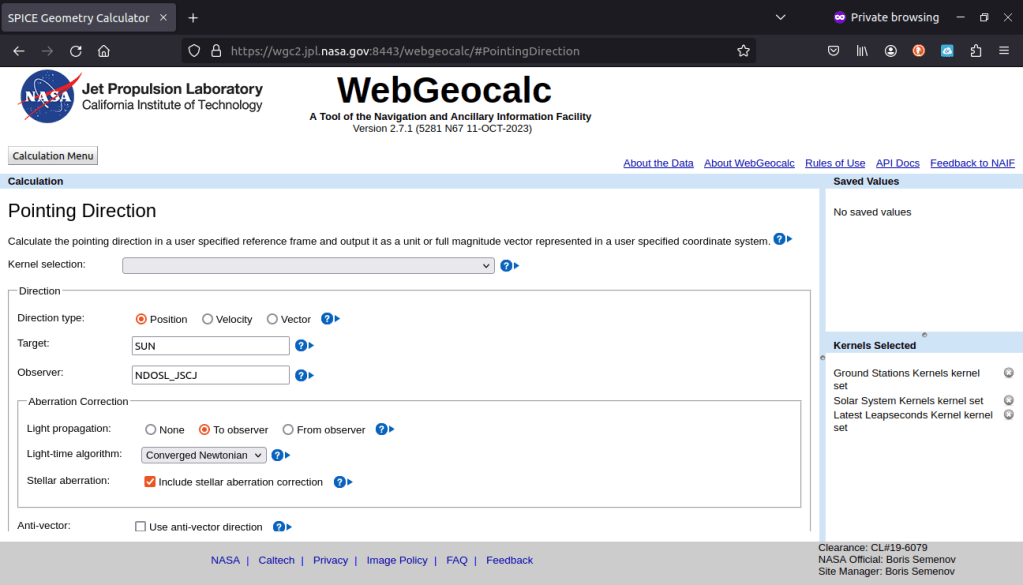
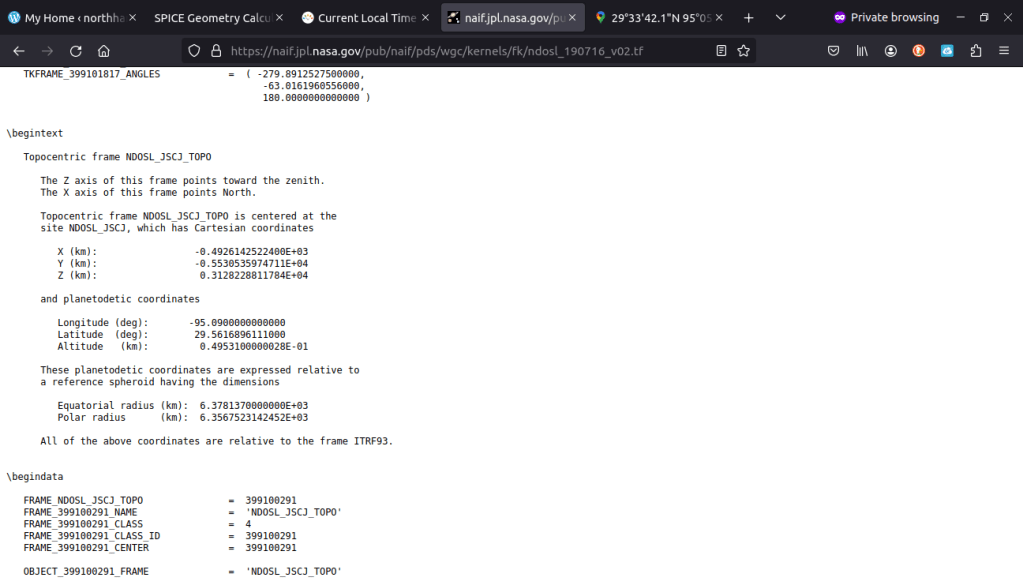
Step 4: “Observer” has many options for different locations. A file with a partial list in latitude/longitude is shown in the next screen shot. We are interested in NDOSL_JSCJ.
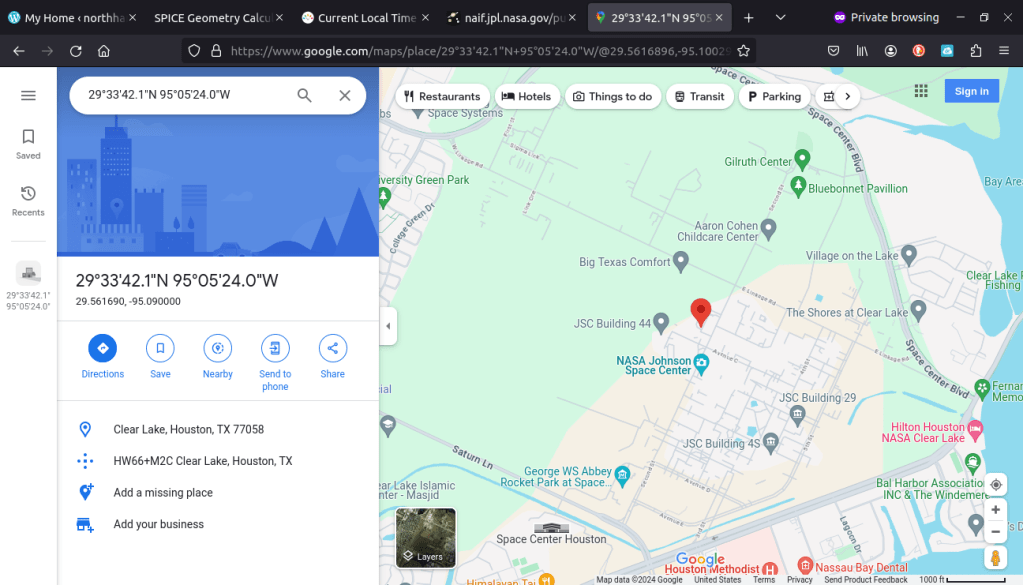
To double check that the provided Longitude and Latitude correspond to NASA Johnson Space Center, these can be fed into google maps.
Step 5: “Aberration Correction” adjusts for light-time delay. It was selected because if you look at the Sun right now, it’s actually 8 minutes further along its path in the sky. The light arriving to your eye took 1 astronomical unit / speed of light –> (1.5e11 [m]) / (3e8 [m/sec]) = 500 [sec] –> 8.3 [min] to get there.
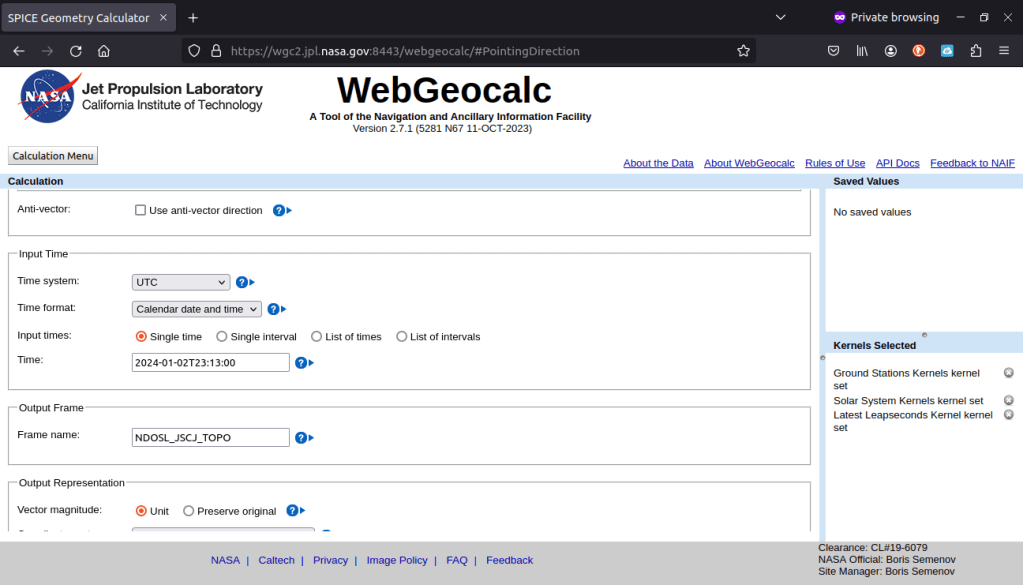
Step 6: “Time system” is set to Coordinated Universal Time (UTC)
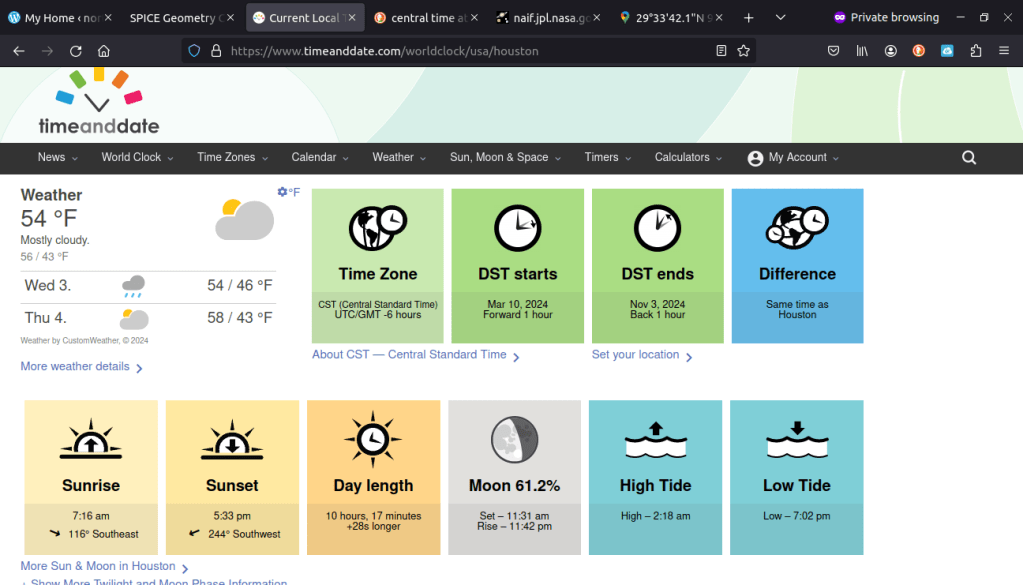
Step 7: “Time” is a critical component to pass into the code. Since UTC time was selected, you need to convert your local time to UTC. It varies due to daylight savings. So for the date shown, the conversion from UTC to Houston time is UTC – 6 hours = Houston. However, we need to convert from Houston to UTC which means the time of interest, 17:13 (5:13 PM in 24 hour time), needs to have 6 hours added to it, which is 23:13.
Step 8: “Frame name” is set to Johnson Space Center, NDOSL_JSCJ_TOPO. The output that we are looking for, discussed soon, requires the coordinates be centered at the observer’s location.
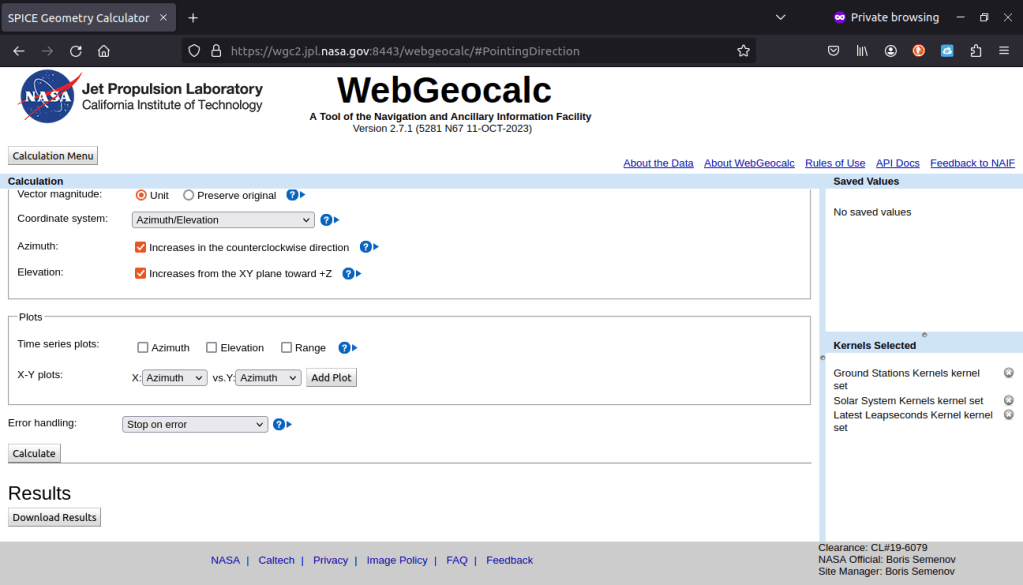
Step 9: “Coordinate system” is set to Azimuth/Elevation. Elevation is the angle upward from the horizon. If the elevation is negative, then the Sun has set. Azimuth is the angle from north in the counterclockwise direction.
Step 10: click the “Calculate” button
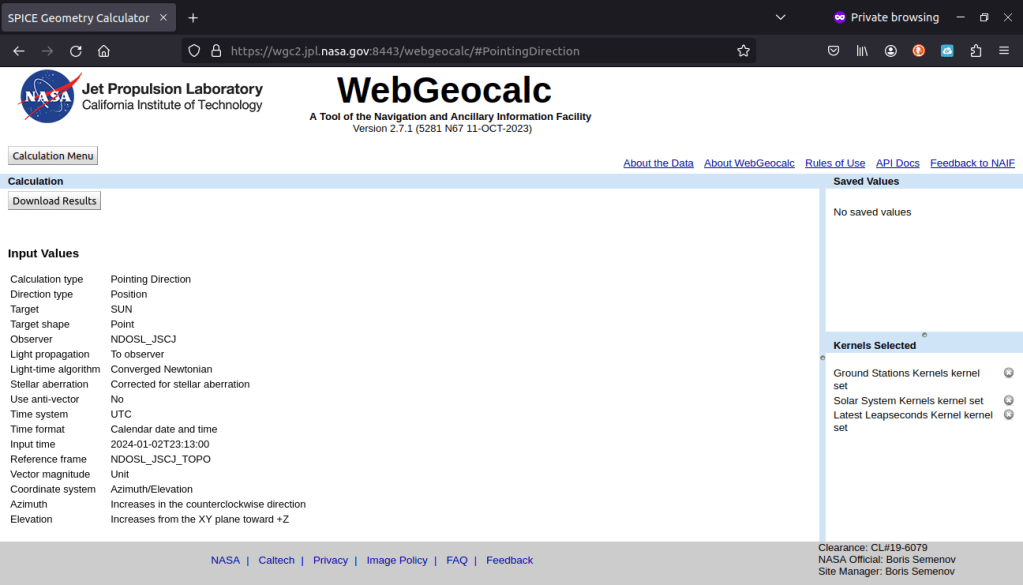

So, we can see that the Sun at 5:13PM was setting (3 degrees elevation) in the southwest (119 degrees counterclockwise from north). How does this compare to an average website for Sun rise/set times? This website shows the UTC time correction (Time Zone) and when it changes (DST starts/ends). Notice that the Sun sets at 5:33 PM (actually a little earlier), and the direction is 244 degrees (in the clockwise direction) southwest. To convert from clockwise to counterclockwise –> 360 degrees – 244 degrees = 116 degrees counterclockwise (southwest). The azimuth of the Sun changes with elevation as it arcs across the sky; if you enter 23:33 UTC into the calculation above, the azimuth will be 116 degrees counterclockwise.
Congratulations on calculating the location of the Sun from Houston, Texas! Here are the suite of links that we used so that you can experiment yourself! If you need more accurate calculations, a different location, or some other further analysis, contact ACS Engineering & Safety!